Code the Robot
Line up the instructions, run the robot and collect every star. Twenty-four levels, loops included, to learn how to code.
Ages 6 and up
Leaderboard
Loading leaderboard…
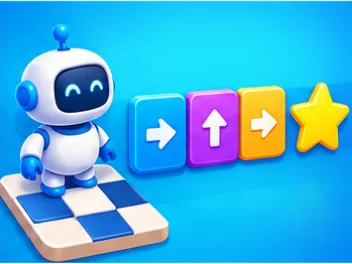
A robot is waiting on a board. Somewhere, a star is shining. You can't move the robot yourself: you have to write down, ahead of time, the exact list of what it is going to do. Then you press Run, and you watch. If it picks up every star, you win. If it bumps into a bush, the mistake was in your program, never in the robot, which follows your instructions to the letter.
That is the whole idea of programming, with no code to type and no technical words: describe a series of actions in the right order, test it, then fix it. This coding game for kids works from age six, with nothing to read in the first world, and it remains a real brain teaser for an adult hunting for the shortest program. It is a gentle first step into computer science, playable for free in your browser at home or in the classroom.
How to play Code the Robot
- Look at the board. The robot is on its starting square, the stars are there to be collected, and the bushes, crates and machines block the way.
- Build the program. Tap the instructions at the bottom of the screen: each one is added to the end of the program, in the slots provided. To remove one, tap it in the program: its slot stays open, and the next instruction you pick goes right there, which is handy for fixing a mistake in the middle without redoing everything. And if you change your mind, the Undo button takes back your last change, as many times as you need.
- Run the robot. It carries out the instructions one by one, and the current one lights up. The Fast button does the same thing sped up, and Stop halts the robot along the way.
- Debug. If the robot bumps into something, the faulty instruction turns red and the robot goes back to the start. Your program stays right where it is: all you have to do is fix it.
In the third world, a Step by step button runs a single instruction each time you press it: it is the best way to see on which pass of a loop the robot goes wrong.
On a keyboard, the arrow keys add an instruction, the R key opens or closes a loop, Backspace removes the last instruction and Enter runs the robot.
Three worlds, twenty-four levels
The garden: directions
In the first world, the instructions are four arrows: up, down, left, right. Each arrow moves the robot one square in that direction, whichever way it is facing. Not a word to read: this is the world for the youngest players, who discover that a program is read in order and that one arrow too many is enough to ruin everything.
The eight levels of the garden climb gently: one star in a straight line, then a turn, then a bush to go around, then two and three stars to collect in the best possible order.
The workshop: facing the right way
In the second world, everything changes. There are only three instructions left: move forward, turn left and turn right. Moving forward takes one step in the direction the robot is facing; turning spins it a quarter turn in place, without moving.
It is a big step, and that is on purpose. When the robot is facing you, its left is your right. Many kids, and quite a few adults, get it wrong at first, and that is exactly what the workshop trains: putting yourself in the place of whoever is running the program. It is what we call spatial reasoning, and it is the same skill as reading a map or giving someone directions over the phone.
The factory: loops
In the third world, the corridors get longer and the program has hardly any room left. Writing "move forward" seven times in a row no longer fits: you need a loop. The Repeat button opens an orange frame; the instructions you tap next go inside it, until you press Close. The number on the frame says how many times its contents will run: tap it, and a panel opens with two big − and + buttons to set the number of passes, from two to nine. That is also where you reopen a loop to add an instruction inside it, or delete it.
The eight levels of the factory teach you to spot what repeats: a corridor, two loops in a row, a square, a staircase whose steps are all the same, the edge of a pond, a row of notches, and to finish, a mountain to climb up and then back down, with two loops one after the other. While the program runs, the frame shows the current pass, "3/5" for example, and if the robot bumps into something, the game tells you on which pass.
Stars for every level
Every level you clear earns one to three stars, depending on how long your program is:
- three stars if you used the minimum number of instructions;
- two stars if you used one or two more;
- one star beyond that.
A loop's frame counts as one instruction, just like each instruction inside it. The minimum is worked out for every level: there is always a program that earns all three stars. Your stars and your progress stay in your browser, with no account and no sign-up. The Levels button shows the map of the three worlds, the stars you have earned and the levels still locked: each level you clear unlocks the next one.
Leaderboard
Every level you clear earns points, and your leaderboard score is the total of all your levels. Later worlds are worth more: in the garden, three stars earn 50 points, two earn 40 and one earns 30; the workshop pays double, the factory triple. Clearing all twenty-four levels with the fewest possible instructions adds up to 2,400 points.
Each level counts once, for your best program. Trimming a program to win another star raises your total; replaying a level worse costs you nothing, and neither do the failed runs before you succeed: only the program that picks up every star counts. The leaderboard only keeps verified programs: the server runs your program again on the same board, instruction by instruction, before it accepts the score. The first time you clear a level, the game asks for a nickname, and from then on your total is sent on its own without interrupting your game.
What the game really teaches
Behind its look of a little game, Code the Robot trains the core ideas you find in any introduction to coding.
- Sequence. A program is a list of instructions carried out in order, one at a time. Swap two arrows, and it is already a different program.
- Planning ahead. You have to work out the whole route before running the robot. You don't steer, you plan: that is the big difference between playing with a controller and programming.
- Debugging. When it fails, you don't start everything over: you look for the faulty instruction and fix it. The game shows it in red, and the program stays put so you can repair it.
- Optimization. Finding a path isn't enough for three stars: you need the shortest one. Levels with several stars make you wonder in which order to collect them.
- Loops. Spotting a pattern that repeats, one step of a staircase, one side of a square, and writing it only once. It is the first real abstraction in programming: you no longer describe each step, you describe the rule.
None of these ideas needs explaining before you play. You discover them by failing, then by succeeding.
A game for school and for home
Moving a robot across a grid is a classic first coding activity in elementary school classrooms, first with arrows, then with turn-based instructions. In middle school, algorithms and programming pick up exactly where this leaves off, and the "repeat" loop is one of the very first ideas taught there: the factory is direct preparation for it.
The game doesn't replace the classroom, but it lets kids practice for five minutes at home, with no equipment. For a parent, it is also a great way to join in: play next to your child and ask them to say out loud what the robot is going to do before pressing Run. Saying the program before running it is the best way to catch your own mistakes.
Tips
- Trace the route with your finger on the board before adding instructions. One square, one arrow.
- Count the squares. Most mistakes in the garden are one arrow too many or too few, not the wrong direction.
- In the workshop, look at the robot's eyes. They always show which way it will move. Before every "turn," ask yourself: which side is its left?
- If the robot bumps into something, don't empty the program: look at the instruction in red, and only that one.
- For three stars, look for the order of stars that avoids doubling back. Starting with the closest one isn't always the shortest.
- Use the Fast button when you are sure of your program, and normal speed when you want to see where it goes off track.
- In the factory, look for the pattern first. Trace the route with your finger and find the piece that comes back exactly the same: that is what goes in the loop. Then count how many times it comes back.
For more learning games, browse the educational games category, or try Wolf, Goat and Cabbage.
Frequently asked questions
What age is this game for?
From age six for the first world, which has nothing to read: four arrows are all you need. The workshop, with its turns relative to the robot, suits kids from about seven or eight, and the factory and its loops from eight or nine. Adults find a real brain teaser as soon as they aim for three stars everywhere.
What is a loop?
An instruction that holds others and runs them several times. "Repeat 4 times: move forward, turn right" makes the robot go around a square. Instead of writing eight instructions, you write three.
Do I need to know how to code?
No. The game uses no programming language and no technical words. It is precisely a first step toward programming, before writing real code.
Why does the robot turn the wrong way?
Because "left" and "right" are the robot's, not yours. When it faces the bottom of the screen, its left is on your right. Check which way its eyes are pointing before every turn.
How do I get three stars?
By using as few instructions as possible. The number to reach is shown at the end of every level you clear. There is always a program that gets there.
Is there a leaderboard?
Yes: it ranks players by the total points of the levels they have cleared, and a shorter program is worth more. The twenty-four levels are the same for everyone, and you play them at your own pace.
Is my progress saved?
Yes, in your browser, with no account and no sign-up. If you clear the site's data or switch devices, you start again from the first level.
Can I replay a level I already cleared?
Yes, at any time, from the Levels button. Only your best result is kept: replaying never makes you lose stars.
What happens if the program is too short?
The robot stops after the last instruction and the game tells you how many stars are still left to collect. Just add the missing instructions at the end.
Does the game work on phones and tablets?
Yes. Everything is done by tapping big buttons, with no dragging, and the board adapts to the size of your screen. On a computer, you can also play it entirely with the keyboard.
More educational games
Educational games- Game of Nim
Take turns picking up sticks, and don't let the fox take the last one. Twelve levels to learn the strategy that wins. - Multiplication Tables
Feed a hungry monster: tap the fruit with the right answer, and watch it grow. - World Map Quiz
A country is named, you tap it on the map. 162 countries, every continent, ten levels with stars to earn. - Tower of Hanoi
Move the tower disk by disk, never putting a big one on a small one. Ten levels, up to twelve disks and four pegs. - Plant Cell and Photosynthesis
Spot the organelles on a real textbook diagram, then switch on photosynthesis and watch the leaf come to life. - Wolf, Goat and Cabbage
The wolf eats the goat, the goat eats the cabbage: get everyone across. Twelve puzzles, and fails that make you laugh. - Electric Circuits
Turn the wires, close the loop and light the bulbs: series, parallel and short circuits, in twenty-four levels. - Tangram
Seven pieces, one shadow to fill: thirteen shapes and an album to complete.